Short answer: Cat vector art is a cat design built from paths, not pixels, so it scales cleanly for logos, t-shirts, stickers, vinyl and laser cutting. Flat styles such as silhouettes, line art, cartoons and low-poly work best. Painted or photo-real cats need simplifying first. Below are 22 ideas, each matched to where it works.
Key takeaways
- Silhouettes and one-color line art are the most flexible: logo, vinyl, laser, stencil and one-color screen print.
- Cartoon cats with flat colors suit shirts and stickers and vectorize cleanly.
- Watercolor, chalk and photo-real cats lose their texture in true vector. Keep them as high-res PNG or redraw them flat.
- Cricut wants SVG (DXF on desktop only). Laser software such as LightBurn reads SVG, AI, DXF and PDF.
- Embroidery needs a digitized stitch file (DST, PES). Vector art is the starting point, not the machine file.
- Only sell designs you drew, commissioned or licensed. Cat art found online belongs to its artist.
What makes a cat design good vector art?
Vector art uses points and curves. It stays sharp at any size, so the same file can go on a business card, a shirt back and a shop window. That also sets the limits. Soft fur, brush texture and glow effects are made of thousands of tiny color changes. Vector handles them poorly.
So the best cat vector ideas have clear shapes: a strong outline, a few flat colors and details that are thick enough to print or cut. Every idea below says what it is, where it works (t-shirt, sticker, logo, laser engraving or embroidery) and what to change before you send it to production.
How should you start a cat drawing?
Watch real cats first, in person or on video. Note how the spine curves, where the weight sits and how the head moves when the cat turns. Then warm up with quick scribble gesture sketches of the whole body. They take seconds and teach you the pose before any detail.
Experienced artists can skip the stick figure, but everyone benefits from going slowly. Draw one part at a time, keep construction lines light, and erase them before you add color or fur. Each idea below ends with a short sketch tip.
Which cat vector style fits which product?
Swipe sideways to see all columns →
| Style | Best use | File format | Print / cut notes |
|---|---|---|---|
| Silhouette (one color) | Logo, vinyl decal, laser cut, stencil | SVG, AI, EPS, DXF | Closed shapes only. Check thin parts like whiskers and tail tips at final size. |
| Line art / ink | Laser engraving, one-color screen print, Cricut pen or vinyl | SVG, AI, PDF | Thicken hairline strokes. Convert strokes to outlines before cutting. |
| Cartoon, flat color | T-shirts, stickers, mascots, kids’ merch | AI, EPS, PDF (print); SVG (Cricut) | Limit spot colors for screen print. Add a white border for die-cut stickers. |
| Low-poly geometric | Logos, laser score, multi-layer vinyl | SVG, AI, DXF | Merge tiny facets near the eyes so they do not disappear in print. |
| Watercolor / chalk / photo-real | DTG or DTF shirts, sublimation mugs, art prints | High-res PNG (transparent) or a flat vector redraw | Texture does not trace cleanly. For screen print, posterize or use halftones. |
| Neon / glow | Black tees, posters, signage-style graphics | AI or PDF with gradients, or PNG | Gradients do not cut. For vinyl or laser, use the outline only. |
| Embroidery-ready simple shape | Caps, polos, patches | Vector art, then digitized DST or PES | Few colors, bold shapes. Fine fur detail will not stitch. |
22 cat vector art design ideas
1. Cat Under a Duvet
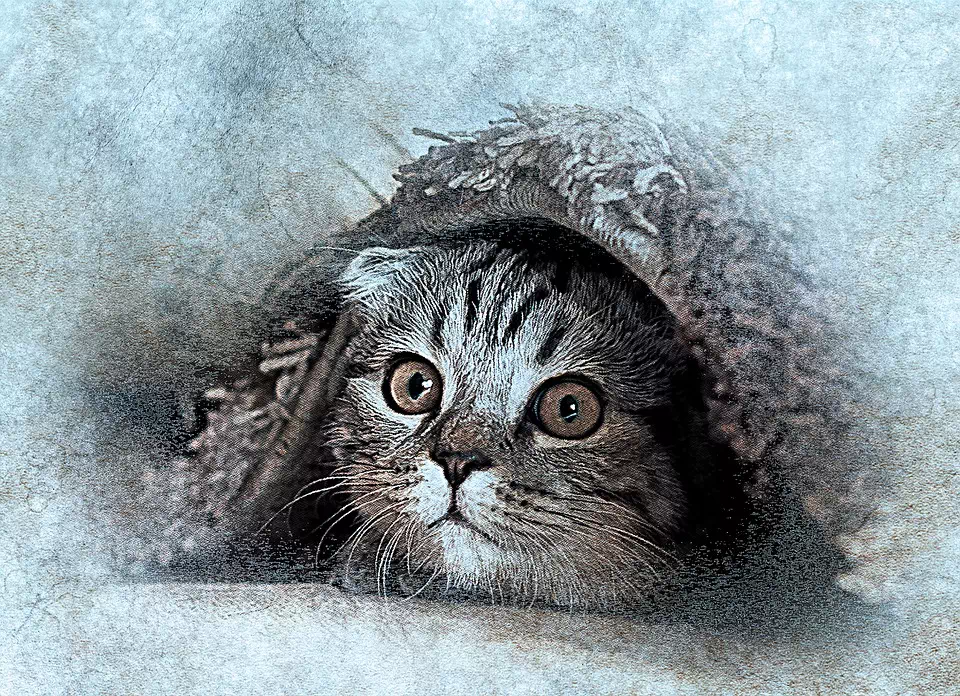
A grey kitten peeks out from under a blanket, one ear hidden. The charm is in the eyes, so keep the eye highlights when you simplify. As vector art, reduce the soft fur to four to six flat greys and turn the duvet into a few folds. Works on: stickers, DTF or DTG t-shirts, greeting cards. It is less suited to laser engraving unless you convert it to line art first.
Sketch tip: Start with the eyes: a dark pupil, a light iris and one sharp highlight. Add a small triangle nose and a short mouth, then build the face outward. Draw the duvet last as three or four large folds that cover one ear.
2. Realistic Cat Face
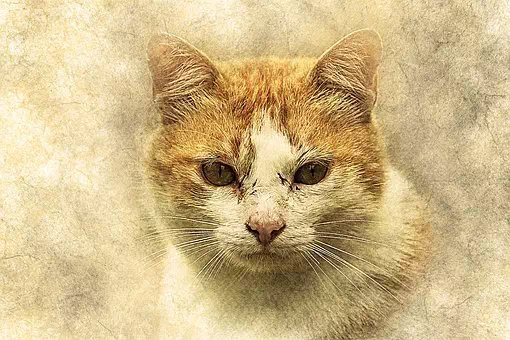
A photo-real cat looking straight at you. This is the hardest style to vectorize honestly. An auto-trace turns the fur into thousands of tiny shapes. Works on: DTG or DTF shirts and posters, kept as a high-res PNG. For screen printing, posterize it into three or four spot colors or use halftones. For laser engraving, run it as a dithered raster image, not a vector cut.
Sketch tip: Draw the head straight on with two triangle ears. Study where each fur group changes direction before you shade. Every small line matters here, because there is no prop to hide a weak area.
3. Lean Calico Cat
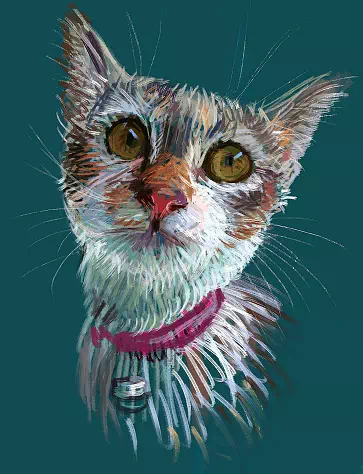
A chalk-style calico with mustard eyes and a bell collar. Calico patches are natural blocks of orange, black and white, so this one vectorizes well. Works on: stickers, kids’ tees, enamel-pin style graphics. Keep the bell and collar thick enough to print at small sizes.
Sketch tip: Sketch an oval for the face, then oval eyes, a triangle nose and triangle ears. Fill the eyes with mustard yellow. Use thin chalk-like strokes and keep the patch colors consistent. Finish with the bell on the collar.
4. Abstract Watercolor Tabby
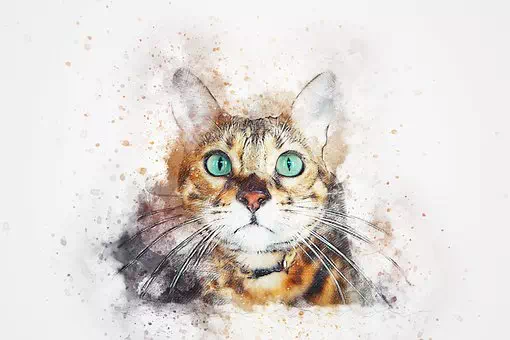
A loose watercolor tabby with green eyes, painted in brown, black and white. Watercolor bleed does not survive true vector. You have two choices: keep it as a raster file for sublimation and DTG, or redraw it in flat color with a few texture shapes. Works on: mugs, totes, art prints.
Sketch tip: Begin with the green eyes and a dark brown nose. Keep the lower face and ears white and the upper face brown with dark tabby stripes. Blot excess paint off the brush. Fewer colors keep watercolor clean.
5. Color Splash Cat
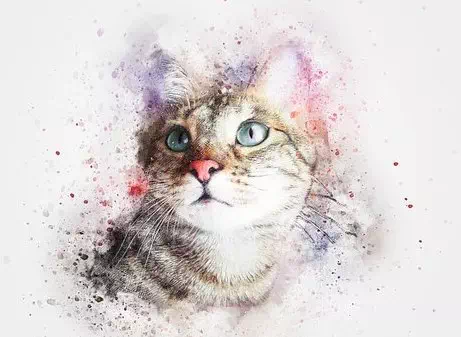
A realistic face surrounded by paint splashes. The splashes make good vector shapes on their own, and the face can be simplified to a few tones. Works on: DTF shirts, stickers with a white border. For screen printing, cap the design at a small number of spot colors.
Sketch tip: Paint the face first in light brown, chestnut and white, with blue eyes and a pink nose. Let it dry. Mask the face with paper, then splash two or three colors around it.
6. Cat Chilling Out
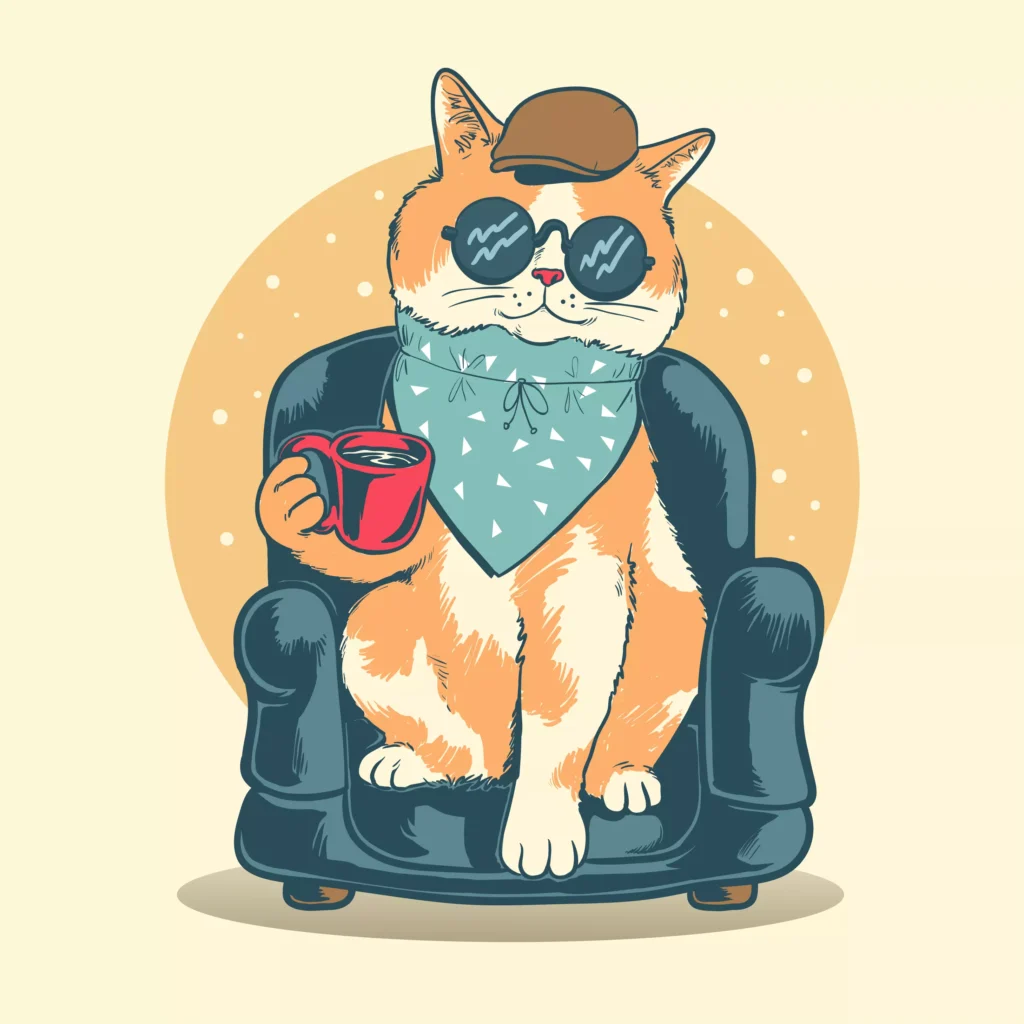
A cartoon cat sits on a teal couch with a red cup of tea, glasses, a hat and a neck scarf. Flat colors and clear outlines make this an ideal vector style. Works on: t-shirts, stickers, café or brand mascots. Each prop can sit on its own layer, so you can make seasonal versions.
Sketch tip: Get the sitting pose and paw placement right first. The shapes do not need to be perfect in a cartoon, but the silhouette must read. Add the teacup, glasses and hat as separate pieces.
7. White Queen (Turkish Angora)
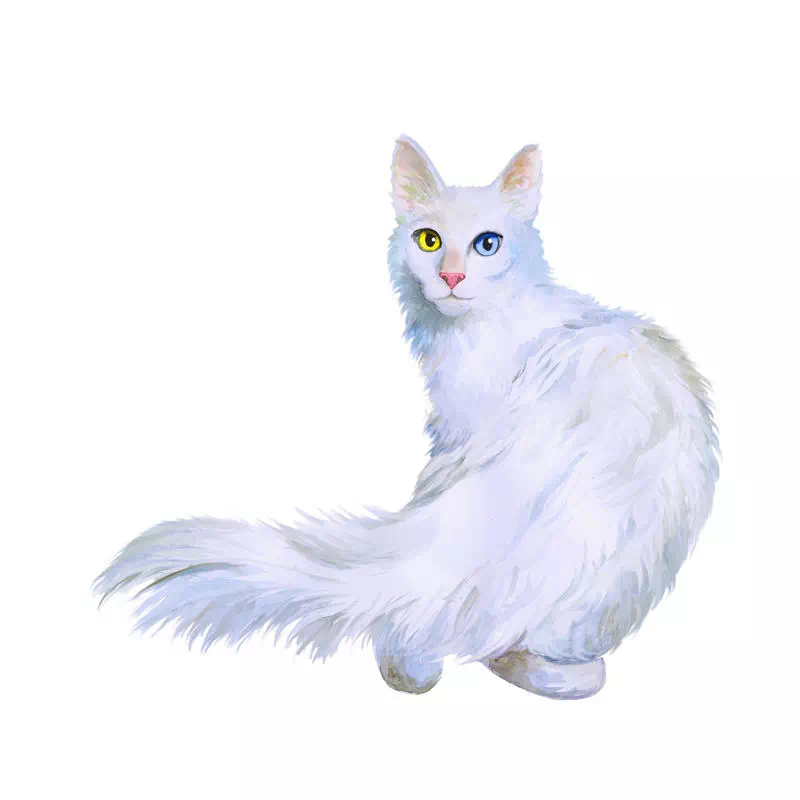
A white long-haired cat drawn from behind, turning to look back with odd-colored eyes. White on white disappears, so plan for dark garments or add an outline. Works on: dark tees, framed prints. For vinyl, use an outline-only version.
Sketch tip: Block the pose with three ovals: small for the head, medium and large for the body. Then add the tail. Paint the eyes, a light pink nose and soft shadow tones in the white fur.
8. Neon Longhair Cat
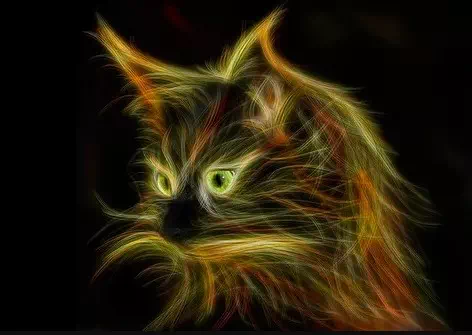
A long-haired cat in glowing neon colors on black. Glow is a gradient effect, which cannot be cut. Works on: black t-shirts with bright inks, posters, signage-style graphics. For vinyl or laser, keep only the outline.
Sketch tip: Work on a black background. Start with a large triangle for the face and two smaller ones for the ears. Draw fur in the direction it grows, slowly, in layers of bright color.
9. Low-Poly Geometric Cat
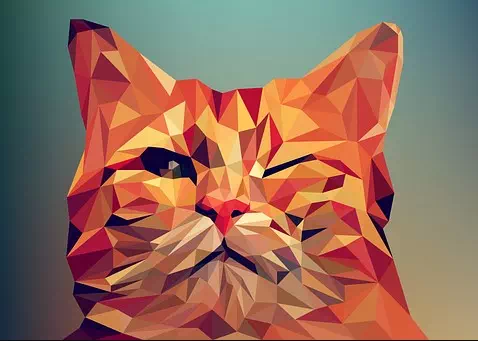
A cat head built from small triangles, with one eye closed. Facets are already vector shapes, so this style is clean to produce. Works on: logos, laser scoring, two- or three-color vinyl, shirts. Merge the smallest facets around the eyes, or they vanish in print.
Sketch tip: Draw the cat outline with ears directly, not from an oval. Fill it with small triangles. Make the facets near the eyes smaller than the rest so the eye shape stays clear.
10. Black and White Ink Cat
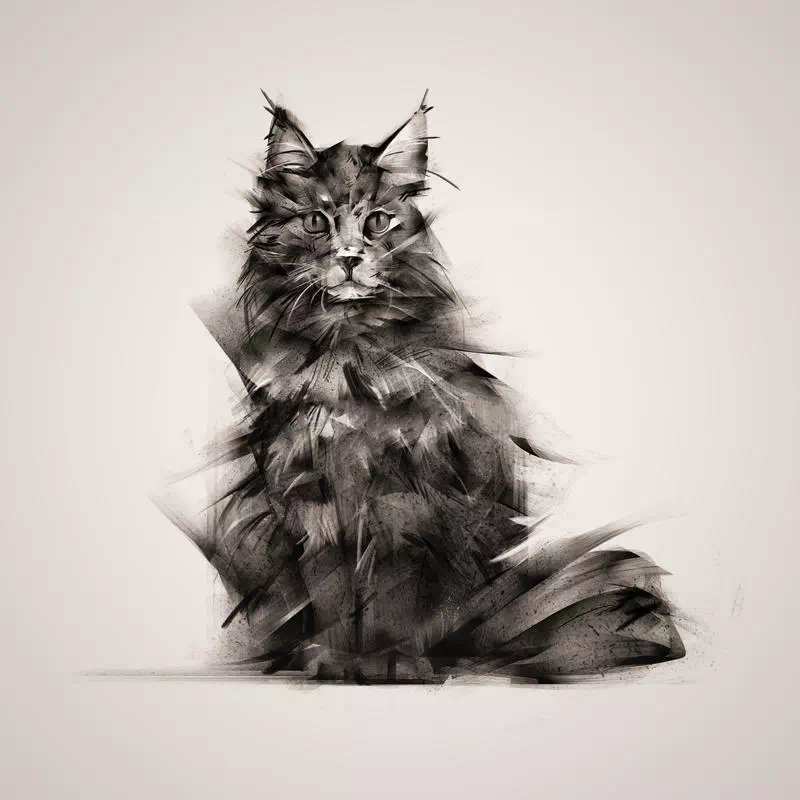
A fluffy cat drawn only in black ink strokes. One color means the cheapest screen print, plus laser engraving, vinyl and rubber stamps. Works on: one-color tees, laser engraving on wood or leather, Cricut vinyl. Thicken the finest fur strokes so they hold at final size. Fine fur is hard to stitch, so simplify it before any embroidery. For one-line and minimalist styles, see our cat line drawing ideas.
Sketch tip: Draw a vertical center line and a few guide shapes for where the fur flows. Build the outline with short strokes, then add soft fur strokes around it. Finish the eyes and nose in solid black.
11. Green-Eyed Chubby Grey Kitten
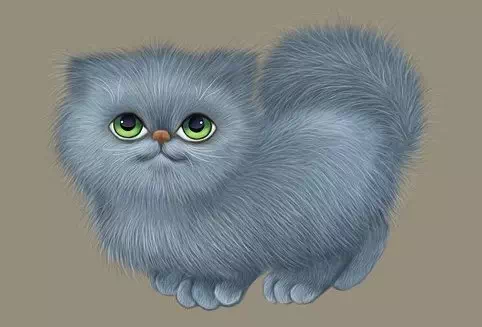
A round grey-and-white kitten with emerald eyes. Simple shapes and three colors make it easy to vectorize. Works on: kids’ clothing, stickers, embroidered patches. Bold shapes like these stitch well once digitized.
Sketch tip: Draw an oval head and a larger oval body on a vertical guide line. Add horizontal guides to set the width. The ears are short, so round them off. Fill with grey and white only.
Drawing dogs too? See our dog artwork design ideas for the same style-to-product approach.
12. Furious Fireflake Cat
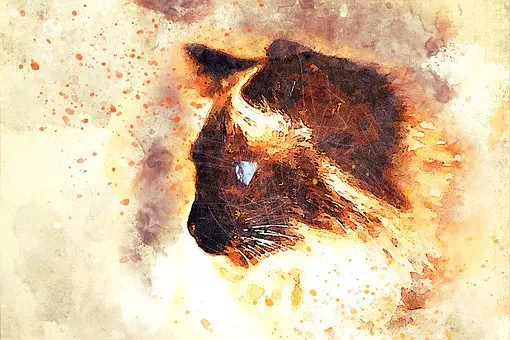
An angry cat with flame-colored splashes behind it. Stylize the flames into solid shapes and keep the eyes as the brightest color. Works on: gaming or sports tees, hoodie back prints, car decals.
Sketch tip: Draw a downward triangle for the face and two small angled ears. Follow the direction of each brushstroke. Paint the flame splashes behind the cat, then the bright eyes and long cheek fur.
13. Vintage Sad Cat on a Shoe
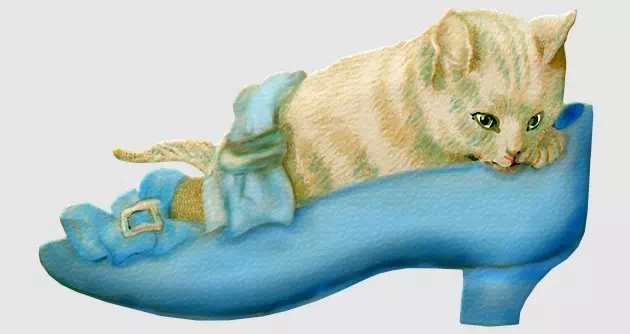
A sad cat rests its head on its paws inside its owner’s shoe. A story scene like this sells well on cards and posters. Keep the cat and the shoe on separate layers so you can recolor the shoe. Works on: posters, cards, stickers. A line-art version suits laser engraving on wood.
Sketch tip: Start with the head resting on the paws. Draw the eyes and tall ears, then half of the body and the shoe around it. Tuck the tail and back leg inside the shoe, then shade the fur.
14. Abstract Wall Painting Cat
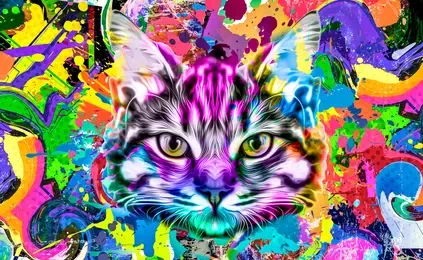
A large realistic cat head over a colorful abstract background. This is where vector shines: a vector redraw scales to wall size without blur. Spray-paint texture will not trace cleanly, so redraw it as flat shapes. Works on: wall decals, large-format prints, shop window graphics.
Sketch tip: Use construction lines first, or the scale will drift on a wall. Draw a big oval head and triangle ears from the guide lines. Paint the fur and blue eyes, then add a free abstract background with spray paint.
15. Siamese Cat with Red Glasses
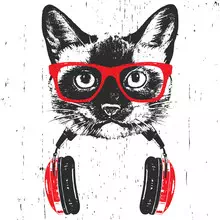
A pencil-sketch Siamese cat with red glasses and headphones around its neck. Keep the sketch in black and the glasses as one red spot color for a cheap two-color screen print. Works on: streetwear tees, stickers, café or music merch.
Sketch tip: Begin with a light construction sketch. Shade the darker face mask gently from the head to the nose. Keep the eyes sharp. Add the red glasses and the headphones last.
16. Big-Eyed Fashion Kitten
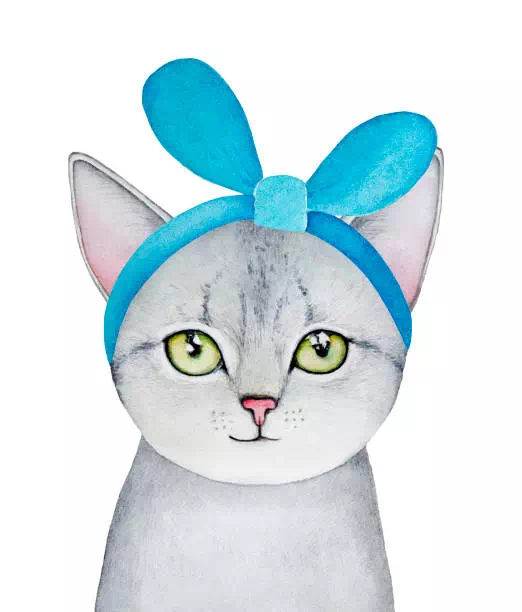
A grey kitten with oversized green eyes and a turquoise headband, in a cute cartoon style. Works on: stickers, kids’ tees, packaging. Big-eyed cartoon cats are a crowded space, so make sure your version is original and does not look like an existing character.
Sketch tip: Make the head slightly large for the body, with room for two big eyes. Shade in grey and black. Add a tiny nose, the turquoise headband and a simple flat body.
17. Fierce-Eyed Cat
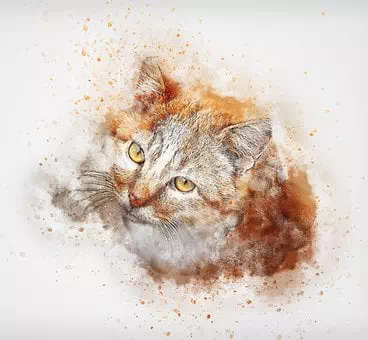
A realistic cat with a sharp, upward stare. The eyes carry the whole design, so a tight crop of just the eye band can work as a mark. Works on: gym or esports logos, laser-engraved eye band, t-shirts.
Sketch tip: Start with the eyes. The cat looks up, so tilt the head slightly and keep the top of the face curved. Shade both sides of the nose, add an upside-down Y mouth, then pull whisker and fur strokes outward.
18. Greedy Cat and the Milk Cup
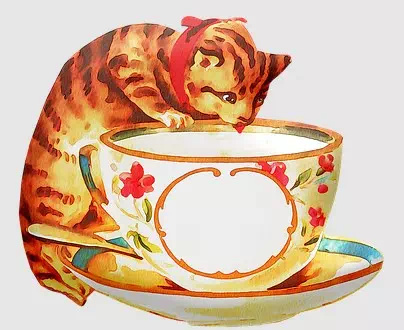
An orange tabby drinks from a big flowered cup, red tongue out. Crayon texture needs either a raster file or a flat redraw. Works on: café merch, mugs, children’s book art. Keep the cup and the cat on separate layers.
Sketch tip: Sketch the cup first as a light construction, then the large body and small head. Draw the eyes looking down into the milk. Add the red neck band, the flowers on the cup and the tongue.
19. Doodle-Line Cartoon Cat
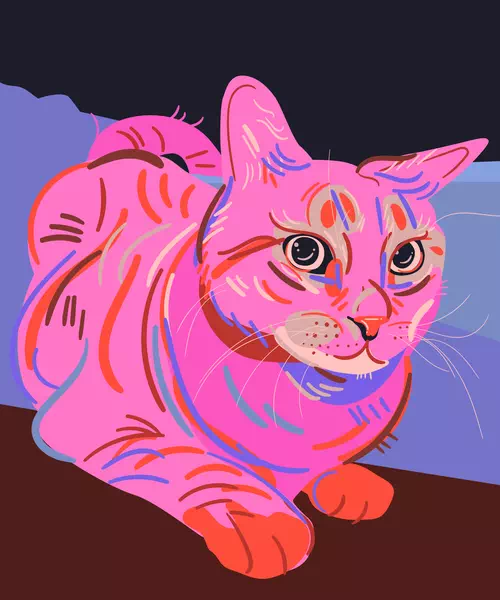
A cartoon cat with loose, imperfect doodle lines and a big body. The wobble is part of the charm, so do not over-smooth it. Works on: stickers, notebook covers, kids’ tees. A single-line version works with a Cricut pen or a laser score.
Sketch tip: Draw an oval head with two triangle ears, one tilted. Add a large body and front paws. Small flaws in the line help this style. Color with doodle pencils, then draw the outlines last.
20. Lazy Cat Sleeping on the Ground
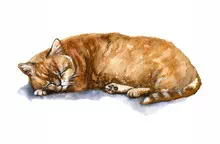
A long cat stretched out asleep, eyes closed. The long, low shape fits chest prints and sleeve prints. Works on: pajama and lounge prints, pet-brand labels, simple embroidery.
Sketch tip: Draw a small circle for the head and a long oval for the body. Paint with relaxed watercolor strokes. Point the whiskers upward from the nose. Draw the closed eyes last.
21. Cat Silhouette Icon
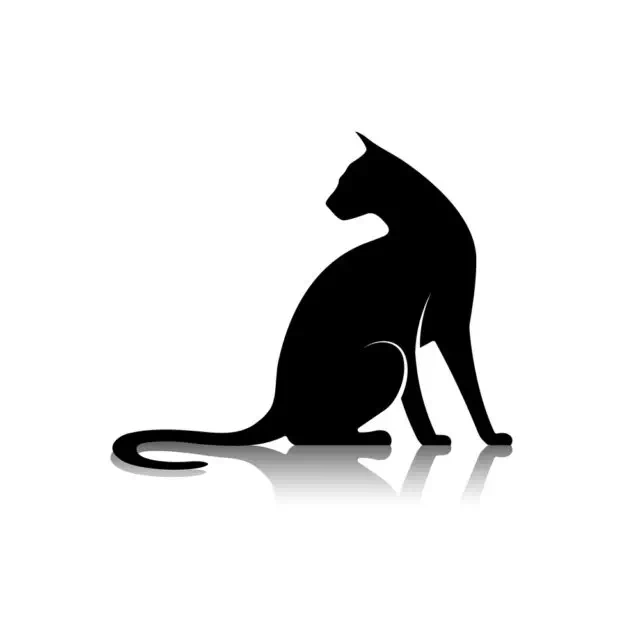
A black cat looking back over its shoulder, ears sharp. This is the most flexible idea on the list. Works on: logos, vinyl decals, laser cutting, stencils, embroidery and one-color screen printing. Check that the gap between the ears and tail stays open at small sizes.
Sketch tip: Sketch the pose in a few seconds as a stick figure. Fill it with solid black. Add a soft shadow below in a much lighter tone than the cat.
22. Halloween Cat on a Jack-o’-Lantern
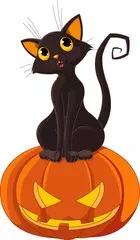
A cartoon black cat with round eyes perched on a carved pumpkin. Works on: Halloween tees, stickers, porch signs cut with a Cricut or laser. Keep the orange of the pumpkin as a fixed spot color and change the cat’s color freely. Plan Halloween designs by early October so print shops have time to proof and print. Too late for this year? Recolor the same file in red and green for Christmas cat merch.
Sketch tip: Draw an oval face and a guide line for the body, then the pumpkin with its carved face. Add round eyes, tall ears, the paws and a big patterned tail. Any color works for the cat.
How do you turn a cat photo into vector art?
Start with the right photo. It should be sharp, evenly lit, with the eyes clearly visible and the cat separated from the background. Then pick a target style first: silhouette, line art or flat color. The style decides the method.
Option 1: Illustrator Image Trace (fast, limited)
- Place the photo in Adobe Illustrator and select it.
- Choose Object > Image Trace > Make, or open Window > Image Trace and pick a preset.
- Adjust the colors, paths and noise settings in the Image Trace panel.
- Choose Object > Image Trace > Expand to turn the result into editable paths.
Honest limits: Image Trace works well for high-contrast shapes such as a silhouette or a bold ink drawing. On fur it produces hundreds of small, jagged shapes. The file gets heavy, edges look lumpy when enlarged, and a cutter or laser will chase every tiny point. Use it for a quick silhouette, not for a finished shirt or logo.
Option 2: Pen-tool redraw (slower, production-ready)
Lock the photo on a bottom layer and draw over it by hand with the Pen tool. You choose where the fur breaks into a few clean shapes, how many colors to use, and how thick each line is. The result has far fewer anchor points, smooth curves and closed shapes, so it cuts, engraves and color-separates cleanly. It takes longer, but the file is ready for production the first time.
What we see in production with cat photos
Most cat photos we receive for vector or line art are phone shots. The usual problems repeat: the cat is slightly blurred because it moved, the eyes sit in shadow, dark fur blends into a dark sofa, or an ear or the tail is cropped out of the frame. Whiskers are almost always too thin to keep at print size, so we draw fewer, bolder ones. Owners care most about the markings that make the cat theirs, such as one white paw, a chin spot or a notched ear. Send two or three photos when you can, and point those details out in your note.
Want just the outline? A pet photo can also become clean single-weight line art through our vector line drawing service. For a step-by-step example with another animal, read how to vectorize a dog.
Have a cat photo or sketch that needs to print or cut cleanly?
Our designers redraw it by hand as clean vector art in the style you need, from silhouette to full-color cartoon. You get files ready for shirts, stickers, Cricut and laser. From $10 per design · exact quote by email after we see the file · 24-hour standard delivery.
What file do you need for shirts, stickers and Cricut?
- Cricut: SVG is the safest choice. Design Space treats SVG and DXF as cut-ready vector files, but DXF does not work in the iOS and Android apps. JPG and PNG upload as basic images that you must clean up and set cut lines for.
- Laser engraving and cutting: LightBurn imports SVG, AI, DXF and PDF as vectors for cutting and scoring. PNG and JPG import as images for raster engraving.
- Screen printing: send AI, EPS or PDF with each ink as its own spot color, so the printer can separate the colors.
- DTG, DTF and sublimation: a high-resolution PNG with a transparent background, sized at the final print size.
- Stickers: vector PDF or AI with a separate cut line, or a high-res PNG for a printer that sets the cut line for you.
- Embroidery: the machine sews from a digitized stitch file such as DST (common on commercial machines) or PES (Brother and Baby Lock). Your vector art is what the digitizer works from.
For the full breakdown of converting a PNG into a cut-ready file, see our guide to PNG to SVG for Cricut, laser and screen printing. To turn a photo of your own cat into a vector silhouette or line portrait, see our pet vector conversion service, from $7 per image.
Cat Vector Art FAQ
Can I put cat art I found on Pinterest or Google on shirts I sell?
Not without permission. In the US, a drawing is protected by copyright as soon as it is created and fixed in a tangible form, and registration is not required. Use art you drew, commissioned, or licensed for commercial use.
What is the best file format for cat vector art?
Keep a master AI, EPS or PDF file. Export SVG for Cricut and most laser software, and a transparent PNG for DTG or DTF printing. Which file is best depends on the machine that will use it.
Can Image Trace turn my cat photo into a Cricut-ready SVG?
For a simple silhouette, often yes. For a furry, detailed cat, the trace is usually too messy to cut well. A hand redraw with the Pen tool gives clean, closed shapes that weed and cut properly.
Can a cat vector file go straight onto an embroidery machine?
No. Embroidery machines read stitch files such as DST or PES, which are made by digitizing the artwork. Simple, bold vector art with few colors gives the digitizer the best start.
How much does it cost to have my cat drawing made into vector art?
Our vector art design service starts from $10 per design. Send the photo or sketch and we email an exact quote before you pay.
Does vector cat art work for laser engraving?
Yes. Line art and silhouettes engrave and cut cleanly as vectors. Photo-real cats are better engraved as a dithered raster image rather than as vector paths.
Send your cat design idea or photo, get an exact quote
We redraw your cat photo, sketch or idea as clean vector art for shirts, stickers, Cricut, laser or embroidery prep. From $10 per design.
- Exact quote by email before you pay (PayPal, Visa or Mastercard)
- 24-hour standard delivery, rush from 6 hours
- 2 free revisions
- 100% money-back guarantee
Sources
Sources checked October 27, 2026:
- Adobe Help: Image Trace in Illustrator
- Adobe: How to vectorize an image
- Cricut Help: Uploading images in Design Space
- LightBurn Docs: File management and import
- Digit-it: Embroidery file formats explained
- U.S. Copyright Office: General FAQ
Drafted with AI assistance and checked by our team against the sources listed above on October 27, 2026.