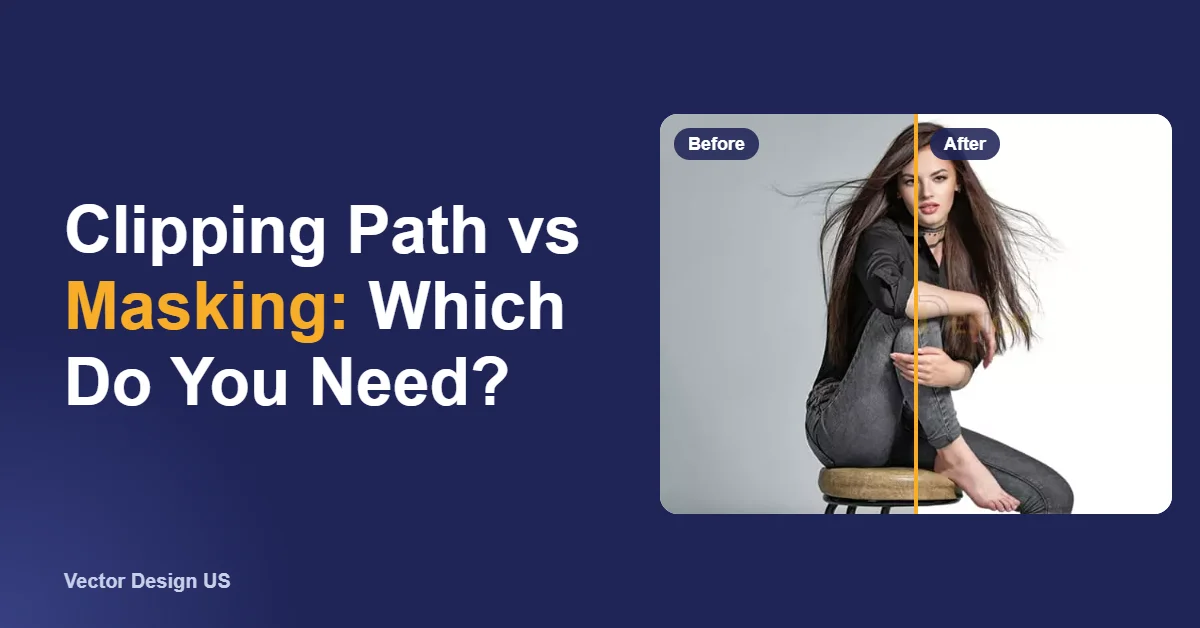
Short answer: background removal is the result you want (the subject on white, on a transparent layer, or on a new background). A clipping path and image masking are the two ways to get there. Use a clipping path for products with hard, smooth edges, such as boxes, shoes, furniture and electronics. Use image masking for soft or see-through edges, such as hair, fur, lace, smoke and glass. At Vector Design US, background removal and clipping paths start from $0.50 per image, and image masking from $1.50 per image.
Key takeaways
- Clipping path is a vector outline drawn with the Pen tool. It gives crisp edges on hard-edged products.
- Image masking works pixel by pixel. It keeps fine strands and partial transparency that a path would cut off.
- Background removal is the outcome. The right method depends on the edge, not on the product category.
- Many real jobs mix both: a path for a bottle’s outline and a mask for its glass, or a path for a ring and a mask for a chain.
- Masking takes longer, so it costs more. Starting prices: clipping from $0.50, masking from $1.50.
Clipping path, background removal and image masking: what is the difference?
The three terms are used loosely, even by editors, which is why quotes can be confusing. Here is the difference in one table.
| Clipping path | Image masking | Background removal | |
|---|---|---|---|
| What it is | A vector outline drawn around the subject with the Pen tool | A grayscale mask that hides or shows each pixel, including partly | The finished result: background deleted or replaced |
| Best for | Hard, clearly defined edges | Hair, fur, feathers, lace, smoke, glass and plastic | Any photo that needs a clean, consistent background |
| Edge look | Crisp and smooth | Soft and natural, with see-through areas kept | Depends on which method was used |
| Can it be edited later? | Yes, the path is saved inside the PSD, TIFF or JPEG | Yes, the mask stays in a layered PSD or TIFF | Only if a layered master was kept |
| Our starting price | From $0.50 per image | From $1.50 per image | From $0.50 per image |
Clipping path, explained
An editor places anchor points along the edge of the product and connects them with straight lines and Bézier curves. The closed path becomes a selection, and everything outside it is removed or replaced. Because the edge is mathematical, it stays sharp at any zoom level, and the path can be reused later to change the background again. Products with holes, such as a mug handle or the gap between a chair’s legs, need extra inner paths, which is what turns a simple path into a complex one.
People sometimes confuse this with a Photoshop clipping mask, which is a layer feature that clips one layer to the shape of another. Our tutorial on how to create a clipping mask in Photoshop covers that tool.
Image masking, explained
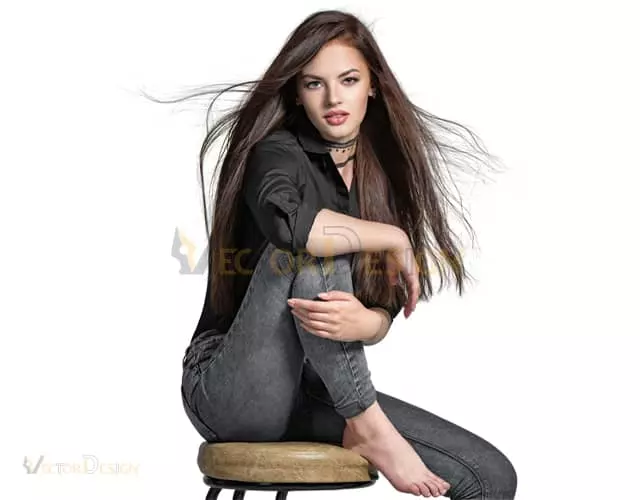
A mask does not draw an outline. It stores a value for every pixel, from fully visible to fully hidden, with every level of transparency in between. That is how an editor keeps single strands of hair, the soft edge of a fur collar, or the see-through body of a wine glass. Editors combine layer masks, channel masks and refine-edge tools, then paint the mask by hand where the automatic selection gets it wrong. Our article on image masking goes deeper into the different mask types.
Background removal, explained
Background removal names the outcome, not the technique. A request for background removal on a shoe will usually be done with a clipping path. The same request on a long-haired dog needs masking. Automatic removers do both in a rough way: they guess a mask, which is fast on simple products and unreliable on fine or transparent edges.


Which one do you need? A decision table by subject
Zoom in to 200% on the edge of your product. The edge, not the product category, decides the method.
| Subject | Edge type | Method we use | Why | Starting price |
|---|---|---|---|---|
| Boxes, electronics, books, furniture | Straight lines and smooth curves | Clipping path | A path follows hard edges precisely and stays sharp | From $0.50 |
| Shoes, bags, tools, cars | Mostly hard, with holes, laces or straps | Clipping path with inner paths | Gaps and openings need their own paths | From $0.50; more for complex paths |
| Hair, fur, pets, models | Soft, fine strands | Image masking | A path would cut off strands and look pasted on | From $1.50 |
| Glass, bottles, clear plastic, veils | Transparent or translucent | Image masking with transparency kept | The new background has to show through the object | From $1.50 |
| Jewelry | Small, shiny, chains with gaps | Path for the metal, mask for chains and stones, plus retouching | Reflections and tiny gaps need both methods | Jewelry retouching from $1.50 |
| Clothing on a mannequin | Hard outline, soft fabric | Clipping path plus ghost mannequin | The form is removed and the inside of the garment is rebuilt | Ghost mannequin from $2 |
| Plants, trees, smoke | Irregular and partly see-through | Image masking | Leaves and gaps are too fine to trace | From $1.50 |



What each method means for price and turnaround
Price follows time, and time follows the edge. A long, curvy outline takes longer than a box. Every hole adds an inner path. Fine strands and see-through areas add hand-painted mask work. Here is how our starting prices compare.
| Job | Starting price | Standard turnaround | What raises the price |
|---|---|---|---|
| Background removal on a simple product | From $0.50 per image | 24 hours | Shadows to keep, extra cleanup |
| Clipping path | From $0.50 per image | 24 hours | Many anchor points, holes, separate paths per part |
| Image masking | From $1.50 per image | 24 hours | Long hair, fur, lace, glass, smoke |
| Color correction | From $1.50 per image | 24 hours | Matching colors across a whole batch |
| Jewelry retouching | From $1.50 per image | 24 hours | Stones, reflections, dust and scratches |
| Ghost mannequin | From $2 per image | 24 hours | Neck joint, inner label, sleeves |
A real order often mixes tiers. Take a footwear catalog with sneakers and fur-lined boots. The sneakers need a clipping path with inner paths for the laces. The fur trim on the boots needs masking. We review every file, price each group and email one quote for the whole batch. For bulk orders, the price is set after we review every file, not a sample.
Not sure which method your photos need?
Upload a few images and we tell you which method fits and email an exact quote. Clipping paths start from $0.50 per image and are delivered in 24 hours.
How to check which method your photos need
- Zoom in to 200% on the edge. If you could trace it with straight lines and smooth curves, a clipping path will do.
- Look for strands, fuzz or soft focus. Hair, fur, knitwear and feathers need masking.
- Check whether you can see through the object. Glass, clear plastic, sheer fabric and smoke need masking with transparency kept.
- Count the holes. Handles, straps and gaps between parts each need an inner path, which affects the price, not the method.
- Decide what you will do with the file later. If you plan to change backgrounds again, ask for the path or mask to be kept in a layered file.
Can AI background removers replace a clipping path or masking?
For some photos, yes. Automatic tools are quick and cheap on solid, high-contrast products shot on a plain background. Where they still struggle is the same place where manual masking earns its price: halos of the old background around hair, chopped strands, glass that turns solid, holes that get filled in, and soft shadows that disappear. If the image is going on a marketplace main slot, check the result at full size and test that the background is pure white. Our comparison of automatic vs manual background removers shows typical failure cases side by side.
Edit it yourself or hire an editor?
Do it yourself
- Photoshop’s selection and mask tools, or an automatic remover
- Fine for hard-edged products on plain backgrounds
- Hair, glass and chains take practice and time
- Hard to keep edges consistent across a large batch
Hire Vector Design US
- Hand-drawn clipping paths and hand-refined masks
- Clipping from $0.50, masking from $1.50 per image
- Delivered within 24 hours; 6-hour rush on request
- Money-back guarantee (100%) plus 2 free revisions
If most of your photos are simple products, start with background removal. If they show hair, fur, glass or other soft edges, see image masking services.
Frequently asked questions
Is a clipping path the same as background removal?
No. A clipping path is one method of removing a background, used for hard-edged subjects. Background removal is the result, and it can be done with a clipping path, with masking, or with both.
Is image masking more expensive than a clipping path?
Usually, because it takes longer. At our studio, clipping paths start from $0.50 per image and image masking from $1.50 per image. The exact price depends on how much fine edge each photo has.
Which method is best for hair and fur?
Image masking. A path has to choose one hard edge, so it cuts through fine strands. A mask keeps them, including the semi-transparent tips.
Can you keep the original shadow?
Yes. We can keep a natural shadow, or add a drop or reflection shadow after the cutout. Say which you want when you upload, so it is included in the quote.
What files will I get back?
Usually a JPEG on white for marketplaces, a PNG with transparency for web and design work, and on request a layered PSD or TIFF with the path or mask saved, so you can change the background later.
Do I need a clipping path for Amazon photos?
You need a pure white background for the main image. For hard-edged products, a clipping path is the cleanest way to get it. For hair, fur or glass, masking gives a more natural edge.
Send your photos, get an exact quote
Send us your images and you get an exact price by email before work starts. Clipping path from $0.50 per image, 2 free revisions.
Drafted with AI assistance; facts and prices checked against the sources listed above on October 18, 2026.