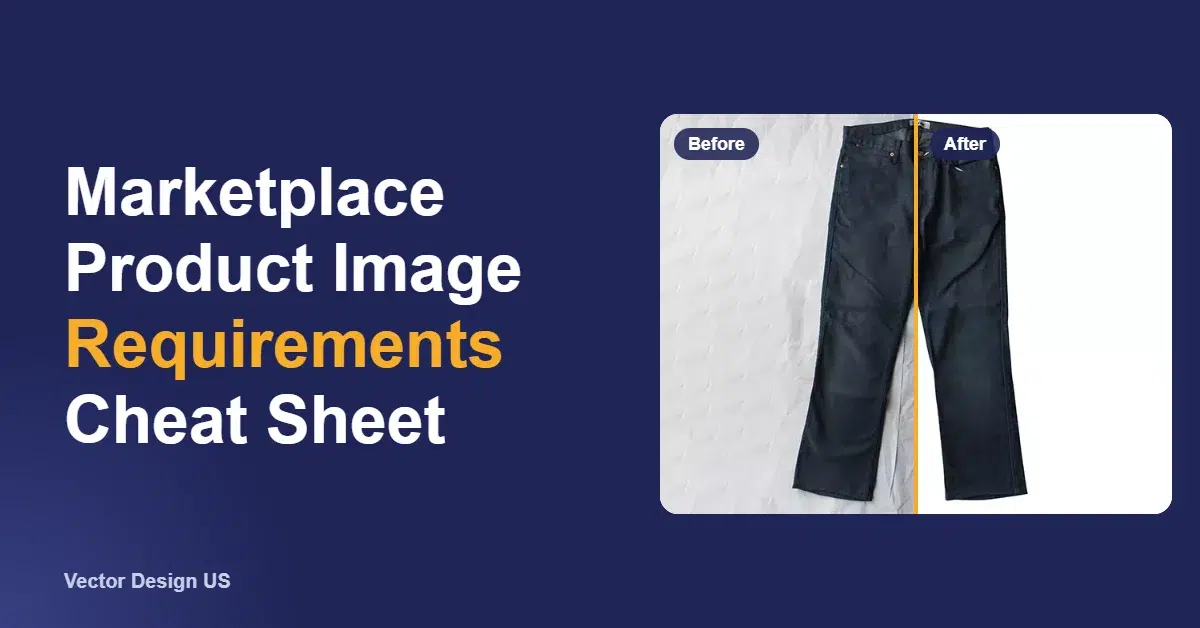
Short answer: for the main product image, Amazon requires a pure white backdrop (RGB 255, 255, 255), a product that fills about 85% of the frame, and at least 500 pixels on the longest side. At 1,000 pixels or more, shoppers can zoom. Shopify accepts images up to 5000 × 5000 px and under 20 MB, and says 2048 × 2048 px usually displays best for square photos. Etsy recommends at least 2000 px in width and height and does not support transparent PNGs. Walmart publishes its own guide, so check the official page for its current numbers.
Key takeaways
- One master image, at least 2000 px on each side, can be exported for all three marketplaces we verified.
- Amazon is the strictest: pure white 255, 255, 255, about 85% fill, no props, no added text and no mannequin parts.
- Etsy shows transparent areas of a PNG as black, so deliver JPGs with a solid background.
- Shopify has no background rule. Consistency across your catalog matters more.
- Most rejections come from off-white backgrounds, products that are too small in the frame, and added text or badges.
Product image requirements at a glance
This table covers the main product photo on each marketplace. Each value comes from the official help page linked under the table. Where the official page does not set a rule, the cell says so instead of guessing.
| Requirement | Amazon | Shopify | Etsy | Walmart |
|---|---|---|---|---|
| Main image background | Pure white, RGB 255, 255, 255 | No rule; keep it consistent across products | No rule | Check official page |
| Minimum size | 500 px on the longest side | Not stated | First photo at least 635 px wide and tall | Check official page |
| Recommended size | 1,000+ px on the longest side (turns on zoom) | 2048 × 2048 px for square images | At least 2000 px wide and tall | Check official page |
| Maximum size | 10,000 px on the longest side | 5000 × 5000 px or 25 megapixels, under 20 MB | Files over 1 MB may not finish uploading | Check official page |
| File types | JPEG (recommended), TIFF, PNG, non-animated GIF | PNG (best), JPEG, TIFF, BMP, GIF, SVG, HEIC, WebP | JPG, GIF, PNG, SVG, HEIC; no animated GIF, no transparent PNG | Check official page |
| Color | RGB preferred | Not stated | Convert to sRGB | Check official page |
| Framing | Product fills about 85%, fully in frame, shown once | Same aspect ratio for all main images | First photo landscape or square, with room to crop | Check official page |
| Added text and badges | Not allowed (no claims, review stars or Amazon logos) | Not restricted by Shopify | Not stated on this page | Check official page |
Amazon product image requirements in detail
Amazon’s product image guide separates technical specs, which decide whether a file can be uploaded at all, from the rules for the main image, which is the one shown in search results.
Technical specs for every Amazon image
- Formats: JPEG (.jpg or .jpeg) is recommended. TIFF, PNG and non-animated GIF are also accepted.
- Size: at least 500 pixels and at most 10,000 pixels on the longest side. Amazon recommends 1,000 pixels or more, because that size turns on the zoom function. Do not enlarge a small image to reach the minimum.
- Resolution: at least 72 dpi.
- Quality: clear, not pixelated, no jagged edges.
- Color mode: RGB is preferred.
- File names for bulk upload: product identifier, variant code, extension, separated by periods, for example B000123456.MAIN.jpg.
Rules for the main (MAIN) image
- Pure white background, RGB 255, 255, 255.
- The product takes up about 85% of the image, and no part of it is cut off.
- The product is shown once (front only, not front and back in the same frame), and only one unit with the accessories that come with it.
- No props or accessories that are not included in the sale.
- No packaging, unless it is an important part of the product, such as a carrying case.
- No part of a mannequin, whether it is clear, solid, flesh-toned, a framework or a hanger.
- Footwear: a single shoe, facing left, at a 45-degree angle.
- Adult clothing is shown on a standing model. Clothing accessories and multipacks are shown flat, without a model.
Rules for all Amazon images
Every image has to match the product and its title, and cannot include customer reviews, star ratings, claims such as free shipping, or seller-specific information. It cannot use Amazon logos or Amazon badges such as “Amazon’s Choice” or “Best seller”. Amazon also asks sellers to add the metadata keyword contains-synthetic-performer to images showing photorealistic people who were generated entirely by AI.
What happens if an image fails
Files that miss the technical specs simply will not upload. Images that break the image rules can be removed. If a listing has no compliant main image, Amazon may take the listing out of search until a compliant one is added. After a new image is accepted, it can take up to 24 hours to appear on the product page.
Shopify image requirements
On Shopify’s product media help page, images can be up to 5000 × 5000 px, or 25 megapixels, and must be smaller than 20 MB. PNG is named as the best file type for most product images, followed by JPEG; TIFF, BMP, GIF, SVG, HEIC and WebP are also accepted. For square product images, 2048 × 2048 px usually displays best.
Shopify sets no background rule, because your theme decides how the store looks. What it does say is that main images shown side by side on collection pages should share one aspect ratio, so the grid lines up. A white or light-gray background on every product does the same job in your store that the white rule does on Amazon.
Etsy image requirements
Etsy’s image requirements page recommends listing photos that are at least 2000 pixels in width and height. Your first photo should be at least 635 pixels wide and tall, or it may show up lower in searches. Supported files are JPG, GIF, PNG, SVG and HEIC.
Two Etsy details often catch sellers out:
- Transparency is not supported. If a PNG has a transparent background, the transparent parts appear black on Etsy. Export a JPG with a white or solid background instead.
- Thumbnails are cropped three ways. Etsy shows the first photo as square, portrait and landscape thumbnails. Its advice is to shoot a little further back than you think you need, keep the product centered, and upload a landscape or square first photo.
Etsy also warns that files larger than 1 MB may not finish uploading on slow connections, and recommends converting images to sRGB so the colors match what you saw on your screen.
Walmart image requirements
Walmart Marketplace publishes its image rules in its Product detail page: image guidelines and requirements guide. When we tried to read it on October 18, 2026, the page showed a bot check, so we have not listed its numbers here rather than repeat figures we could not confirm. Check that page before you prepare a Walmart batch.
Need marketplace-ready backgrounds?
We cut out each product by hand and deliver it on pure white or any background you need. Background removal starts from $0.50 per image and is delivered in 24 hours.
How to prepare product images for every marketplace
You do not need a separate shoot for each channel. Make one good master and export copies.
- Shoot large. Aim for at least 2000 px on the shortest side, which covers the recommended sizes on Amazon, Shopify and Etsy. Leave space around the product so you can crop later.
- Cut out the product. Use a clipping path for hard-edged products and a mask for hair, fur, lace or glass. Our guide to white background product photos shows which products benefit most.
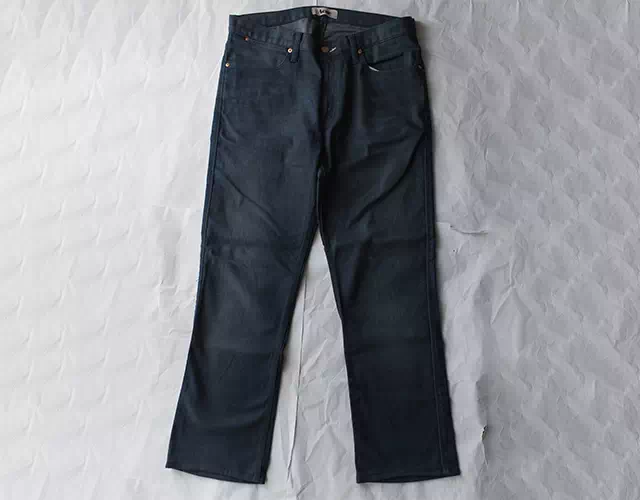
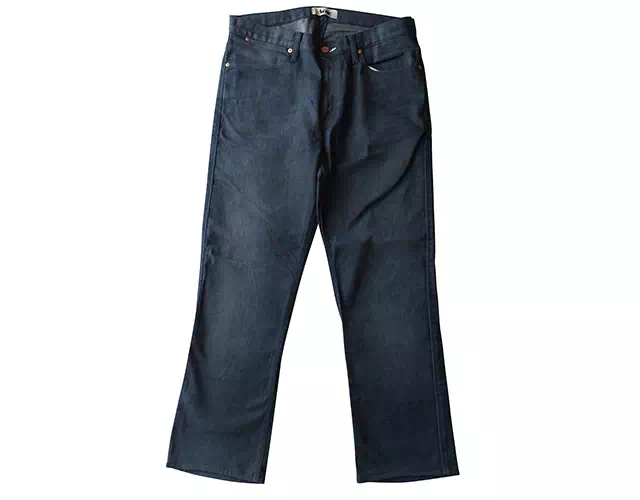
- Set a true white background. Fill it with RGB 255, 255, 255, then check a few points with the eyedropper. A background that reads 248 or 250 looks white to the eye but is not pure white.
- Crop to the channel. For Amazon, make the product fill about 85% of the frame. For Etsy, leave a border so square, portrait and landscape crops do not cut the product.
- Export the right file. JPEG in sRGB works on all three verified marketplaces. Keep PNG with transparency for your own website or ads, never for Etsy.
- Watch the file size. Compress Etsy images toward 1 MB. Keep Shopify files under 20 MB.
- Keep a layered master. Save a PSD or TIFF with the path or mask, so you can change the background or size later without editing again.
| Channel | Suggested export | Format | Background | Check before upload |
|---|---|---|---|---|
| Amazon | 2000 × 2000 px | JPEG, sRGB | Pure white 255, 255, 255 | Product fills about 85%, nothing cut off, no text |
| Shopify | 2048 × 2048 px | PNG or JPEG | Your choice, the same on every product | Same aspect ratio across the collection, under 20 MB |
| Etsy | 2400 × 2000 px landscape, or 2000 × 2000 px | JPEG, sRGB | White or solid, never transparent | Product centered, safe border for thumbnail crops |
| Walmart | Check official page | Check official page | Check official page | Check official page |
If you sell on Amazon specifically, our Amazon photo editing page covers main image cleanup and the extra images that go with it.
Common reasons product images get rejected
- Off-white background. Lighting leaves a gray or warm cast, so the background reads below 255.
- Product too small in the frame. It misses Amazon’s 85% guideline and looks weak in search.
- Part of the product is cut off. Handles, straps and shoe heels are often cropped by accident.
- Props, extras and packaging. Anything not included in the sale confuses shoppers, and Amazon does not allow it on the main image.
- Visible mannequins. Amazon does not allow any part of a mannequin on the main image, so clothing shot on a form needs ghost mannequin editing.
- Added text, badges and watermarks. Sale stickers, star ratings and logos that are not on the product break Amazon’s rules.
- Too small or enlarged. Files below 500 px will not upload to Amazon, and an enlarged small photo looks soft once zoom is on.
- Wrong file. Transparent PNGs turn black on Etsy, and animated GIFs are not accepted on Amazon or Etsy.
Should you edit product photos yourself or hire it out?
Do it yourself
- Automatic background removers handle simple, solid products quickly
- Check every edge at 200% zoom and test the white with an eyedropper
- Hair, mesh, chains and clear bottles often come out with halos or holes
- Your time per image adds up fast on a large catalog
Hire Vector Design US
- Products cut out by hand and set on pure white
- Exported at the sizes each marketplace accepts
- From $0.50 per image, delivered within 24 hours; 6-hour rush on request
- Money-back guarantee (100%) plus 2 free revisions
For whole catalogs that also need color correction, shadows or retouching, see product photo editing services. Our comparison of automatic vs manual background removers explains where each one fits, and the white background service page shows more examples.
Frequently asked questions
What size should Amazon product images be?
At least 500 pixels on the longest side to upload, and 1,000 pixels or more to turn on zoom. The maximum is 10,000 pixels. A 2000 × 2000 px square is a practical size that also works on Shopify and Etsy.
Does the Amazon background have to be exactly white?
For the main image, yes: Amazon asks for pure white, RGB 255, 255, 255. Additional images can show the product in use or from other angles, as long as they follow Amazon’s rules for all images.
Can I upload a transparent PNG?
Amazon accepts PNG files, but the main image still needs a pure white background. Etsy does not support transparency at all; transparent areas appear black. Shopify accepts transparent PNGs, but check how they look on your theme.
What does “85% of the image” mean for Amazon?
The product should take up about 85% of the frame. Crop so the product nearly touches two opposite edges, with a small, even margin and nothing cut off.
Can I use the same photo on every marketplace?
Yes, if you start from a large master with a clean cutout. Export one copy per channel with the right size, crop and file type, as in the export table above.
Can clothing photographed on a mannequin be used on Amazon?
Not on the main image. Amazon does not allow any part of a mannequin to show. Adult clothing goes on a standing model, or the mannequin is removed in editing, often called ghost mannequin editing. Ours starts from $2 per image.
Get your product photos marketplace-ready
Send us your images and you get an exact quote by email. Background removal from $0.50 per image, with 2 free revisions.
Sources
- Amazon Seller Central, Product image guide (US): https://sellercentral.amazon.com/help/hub/reference/external/G1881 (read October 18, 2026)
- Shopify Help Center, Product media types: https://help.shopify.com/en/manual/products/product-media/product-media-types (read October 18, 2026)
- Etsy Help, Requirements and Best Practices for Images in Your Etsy Shop: https://help.etsy.com/hc/en-us/articles/115015663347 (read October 18, 2026)
- Walmart Marketplace Learn, Product detail page: Image guidelines & requirements: https://marketplacelearn.walmart.com/guides/Item%20setup/Item%20content%2C%20imagery%2C%20and%20media/Product-detail-page:-Image-guidelines-&-requirements (bot check on October 18, 2026; not read)
Drafted with AI assistance; facts and prices checked against the sources listed above on October 18, 2026.