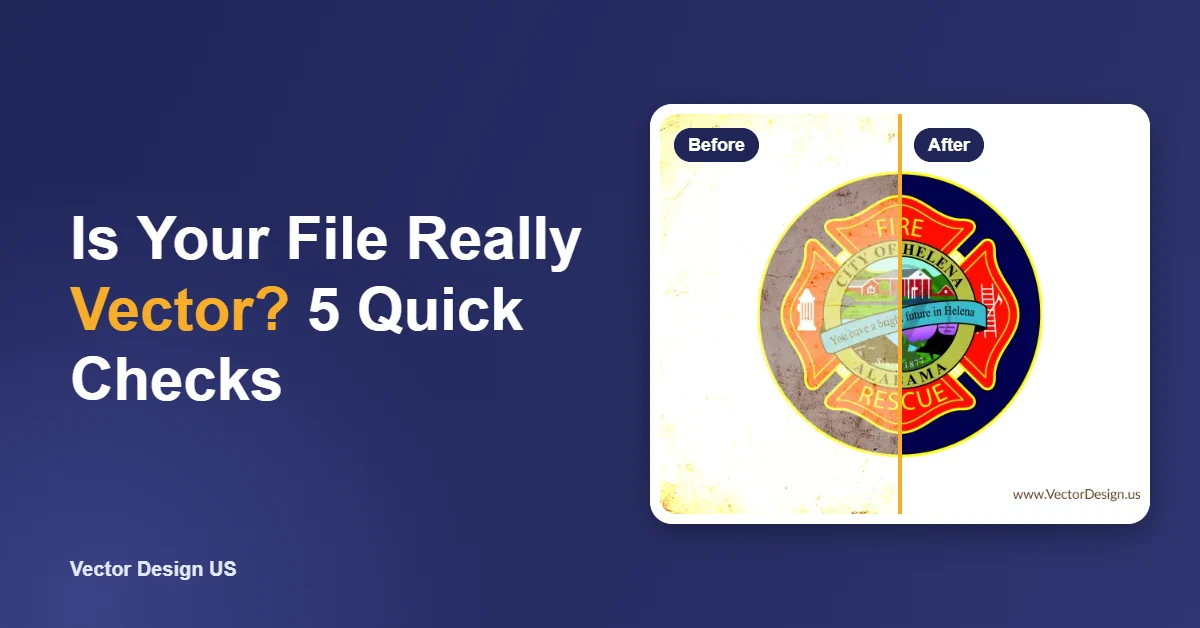
Short answer: a file is really vector when the artwork is made of paths, not pixels. Zoom in to 800% or more: vector edges stay sharp, raster edges turn into blocks or blur. Next, load it in Illustrator, Inkscape or CorelDRAW and turn on the outline or wireframe display. Real vector shows as thin path outlines. A box with an X, or nothing at all, means a raster image is sitting inside the file. The extension alone proves nothing, because PDF, EPS and SVG files can all carry a plain JPG or PNG inside.
Key takeaways
- Extension is a hint, not proof. AI, EPS, PDF and SVG can each contain raster images.
- The zoom test catches most fakes in seconds. Sharp edges at high zoom suggest vector.
- Outline view is the most reliable check. Paths show as lines, embedded images show as boxes.
- The Links panel lists every placed image, linked or embedded.
- In an SVG, an image tag or a long base64 string means a bitmap is wrapped inside.
Why “vector” files are often not vector
A printer asks for vector artwork. Someone finds a file called logo.eps or logo.pdf, sends it, and a day later the print shop replies that the file is not usable. This happens all the time, because saving or exporting a JPG into a vector format does not redraw it. The program simply places the pixel image inside the new file, the same way you can paste a photo into a document.
The result looks like a vector file and has the right extension, but the artwork is still a grid of pixels. It will blur when enlarged, a vinyl cutter cannot follow it, and a screen printer cannot separate its colors cleanly. These five checks tell you what you actually have.
Check 1: The zoom test
Open the file in any viewer that can zoom far in: a PDF reader, a browser for SVG files, or a design program. Zoom to 800% or more on a curved edge or a small letter.
- Vector: the edge stays crisp and smooth no matter how far you zoom.
- Raster: the edge turns into square pixels, soft blur or JPEG noise around the letters.
The zoom test is quick, but it can mislead. A very large raster image can look sharp at moderate zoom, and some viewers smooth pixels when they display them. If the edge still looks clean, keep going with the next checks.
Check 2: Read the file extension (and know its limits)
The extension tells you what the file can hold, not what it does hold. This table shows what to expect from each one.
| Extension | Can hold vector paths? | Can hold raster images? | What to watch for |
|---|---|---|---|
| AI | Yes | Yes | Placed photos or logos inside an Illustrator file |
| EPS | Yes | Yes | Many “vector” EPS files are a JPG saved as EPS |
| Yes | Yes | Scans and exported images saved as PDF are raster only | |
| SVG | Yes | Yes | A bitmap wrapped in an image tag, often as base64 code |
| CDR | Yes | Yes | Bitmaps imported into CorelDRAW |
| DXF | Yes | Rarely | Usually vector, but check that curves are not broken into tiny segments |
| JPG, PNG, GIF, BMP, TIFF, WebP | No | Yes | Always raster, whatever the resolution |
| PSD | Partly (shape layers) | Yes | Mostly raster; not what a printer means by vector |
If you have a JPG, PNG or other pixel format, there is no need to test further. It is raster, and turning it into vector means redrawing it. Our page on vector file formats explains which format to request for each job.
Check 3: Outline view in Illustrator
Outline view hides fills and colors and draws only the paths. It is the clearest way to see what a file is made of. In Adobe Illustrator, choose View > Outline, and View > Preview to switch back. Adobe’s guide to viewing artwork notes that in Outline mode, placed images are drawn by default as boxes with an X inside.
What you will see:
- Real vector: thin outlines that follow every letter, curve and shape.
- Embedded or linked raster: a rectangle, often with an X through it, and no outlines for the logo inside.
- Mixed file: some paths plus one or more boxes. Common when a vector layout contains a pasted JPG logo.
- Auto-traced file: real paths, but with lumpy outlines and far too many anchor points. It is technically vector, but it may still not be production-ready.
No Illustrator? Inkscape has an Outline display mode under View > Display Mode, and CorelDRAW has a Wireframe view. Both work the same way.
Check 4: The Links panel and document info
Open Window > Links in Illustrator. Adobe’s Links panel guide explains that the panel lists the artwork placed in the document, and the link information shows whether each item is linked or embedded.
- Empty Links panel: no placed images. Good sign.
- One item the size of the whole artwork: the logo is probably a single raster image.
- Small items: maybe a texture or a photo inside an otherwise vector layout.
Click an item in the panel to select it on the artboard. If the selection is the logo itself, the file is not usable as vector. Also check the size of the image: a 300-pixel image stretched across a large artboard will print badly whatever format it is saved in.
Check 5: Look inside an SVG
An SVG is a text file, so you can read it. Open it in a plain text editor or use your browser’s view-source option.
- Vector SVG: you will see path, circle, rect or polygon elements with long lists of coordinates in the d attribute.
- Raster wrapped as SVG: you will see an image element. MDN’s reference for the SVG image element describes it as the way raster files, such as JPEG and PNG, are included inside an SVG. Often the image data is pasted right into the file as a very long block of text that starts with data:image/png;base64.
A quick test: search the file for the word image or base64. If either is there, at least part of the SVG is a bitmap.
Found out your logo is not vector?
Send us whatever you have and we redraw it by hand as real vector paths, delivered as AI, EPS, PDF and SVG. You get an exact quote by email before we start.
What printers, sign shops and cutters need
Passing the five checks is the first step. Production work often needs a bit more:
| Use | What the file needs | Common problem |
|---|---|---|
| Offset and digital print | Paths, fonts converted to outlines, CMYK or spot colors | A JPG logo placed inside a PDF |
| Screen printing | Solid, separate color shapes, spot colors, no gradients unless planned as halftones | Too many near-identical colors from auto-trace |
| Vinyl cutting and signs | Closed paths, no overlaps, no tiny specks | Open paths and thousands of nodes |
| Laser engraving and CNC | Clean paths, correct line types, DXF or SVG | Duplicated lines that the machine cuts twice |
| Embroidery | Clear artwork; digitizing makes the stitch file | Expecting a vector file to run on the machine |
| Web and apps | Small, clean SVG | Huge SVGs with embedded bitmaps |
Printers who want separated films can use our screen printing art services. For laser work, see laser engraving artwork.
What to do if your file is not vector
- Look for a better source. Ask the original designer or the last print shop, and check old brochures and letterhead PDFs. Run the checks on each file you find.
- Do not just re-save the file. Saving a JPG as EPS, PDF or SVG keeps it raster.
- Be careful with auto-trace. It works on bold, simple shapes. Small text, thin lines and blurry files usually come out lumpy.
- Redraw it. A hand redraw rebuilds every shape as clean paths with matched fonts and colors. Our image to vector conversion service starts from $7 per image; we look at the file first and then email the exact price.
Prefer to do it yourself? Our Illustrator tutorial, converting a low-res logo to vector, covers the manual method.
Frequently asked questions
Is a PDF always a vector file?
No. A PDF can hold vector paths, text, raster images or any mix of them. A scanned document saved as PDF is entirely raster. Use the zoom test and Outline view to check.
If I save a PNG as SVG, is it vector?
Not unless the program actually traced or redrew it. Many tools just wrap the PNG inside an SVG image element. Open the SVG in a text editor and look for an image tag or base64 data.
Is an EPS file always vector?
No. EPS can contain a raster image only. Many old logo files sent as EPS are JPGs saved in that format.
How can I check without Illustrator?
Use the zoom test in a PDF reader or browser, open the file in Inkscape and switch to the Outline display mode, or open an SVG in a text editor.
Is an auto-traced file real vector?
Technically yes, because it is made of paths. Whether it is good enough depends on the job. Check the curves and small letters at high zoom, and count the anchor points on simple shapes.
What resolution does a vector file have?
None. Paths are stored as math rather than pixels, so the artwork stays sharp at any size. Embedded raster images inside it still do have a fixed resolution.
Get a real vector file
Send the file you have, and an exact price lands in your inbox before any redraw begins. Every path drawn by hand, with 2 free revisions.
Sources
- Adobe, View artwork (Illustrator User Guide): https://helpx.adobe.com/illustrator/using/viewing-artwork.html (checked October 18, 2026)
- Adobe, Links panel and link information (Illustrator User Guide): https://helpx.adobe.com/illustrator/using/links-info.html (checked October 18, 2026)
- MDN Web Docs, SVG image element: https://developer.mozilla.org/en-US/docs/Web/SVG/Reference/Element/image (checked October 18, 2026)
Drafted with AI assistance; facts and prices checked against the sources listed above on October 18, 2026.