
Screen Printing Machines: Manual vs Automatic Presses Compared (2026)

Short answer: A screen printing machine (press) holds your screens and garments in register so each ink color lands in the same place. Small shops usually start with a 4-color manual press (about $630 to $5,850 for the US-sold models checked below) and move to an automatic once runs regularly pass about 72 pieces.
On this page
Key takeaways
- A press is only one part of the setup. You also need an exposure unit, a flash dryer for dark garments and a dryer that brings plastisol to its full cure temperature (320°F for standard Wilflex inks).
- Manual presses fit short runs. Lawson puts the manual sweet spot at 1–72 pieces and automatics at 72 pieces and up.
- Micro-registration matters more than station count once you print 3 or more colors.
- Check the maximum screen size and print area before you buy. Your art has to fit the platen you print on.
- Prices below were checked on October 22, 2026 on manufacturer or dealer pages. Many pro and automatic presses are quote-only.
We prepare screen printing art and color separations for print shops every day, so we see the press from the art side: the files have to match what the press, the screens and the platen can actually hold. This guide compares widely sold presses from established US manufacturers and dealers in 2026, with sourced prices and specs, and explains which machine fits which kind of work. It replaces our older roundup of generic marketplace presses.
What is a screen printing machine?
A screen printing machine, usually called a press, is a frame that holds one or more screens above a platen (the board the shirt sits on) and lowers each screen onto the garment in exactly the same spot every time. Each screen carries one ink color, so a 4-color design needs 4 screens and a press with at least 4 print heads.
Presses are described as colors × stations. A 4/1 press has 4 heads and 1 platen; a 4/4 press has 4 heads and 4 platens, so one person can load the next shirt while another prints. Manual presses are turned and squeegeed by hand. Automatic presses index the platens and pull the squeegee with motors or air.
Which screen printing presses can you buy in 2026?
In 2026, US shops can buy manual presses from about $275 (a 1-color tabletop unit) to $5,850 (Lawson HD-MAX base listing), while most automatics are sold by quote. The table lists US-sold presses from established makers. Prices are list prices on the manufacturer’s or dealer’s own page on the date we checked them; shipping, tax and options are extra.
On a phone, scroll the table sideways to see all columns →
| Press | Type | Size and key spec | Price (checked Oct 22, 2026) |
|---|---|---|---|
| Riley Hopkins 150 (1 color / 1 station) | Manual, tabletop | 16 × 16 in platen; max frame 23 × 31 in | $274.95 |
| Riley Hopkins 150 (4 / 1) | Manual, tabletop | 16 × 16 in platen; interchangeable platens | $629.95 |
| Riley Hopkins 150 equipment-only kit | Kit: 4/1 press, 16 × 16 in flash, LED exposure unit | No ink, screens or emulsion included | $1,359.95 |
| Workhorse Odyssey II (sold by Lawson) | Manual, 1/1 bench to 4/4 floor | Micro-registration; quick-release pallets | $750 listed (configuration not specified; sold out when checked) |
| Lawson Scout | Manual, 1/1 to 4/4 | 14 × 18 in pallet; max screen width 23 in | $995 listed (sold out when checked) |
| Lawson Proton | Manual, up to 4/4 | Micro-registration; off-contact per head | $2,200 |
| Vastex V-1000 | Manual, 1/1 up to 8/8 | Max screen 21 × 28 in; micro-registration; 2-year warranty | Quote only from Vastex |
| Lawson HD-MAX | Manual pro, 4/4 to 8/8 | 14 × 21 in platen; max screen 26 × 37 in; 7-year registration guarantee | From $5,850 (base listing) |
| Riley Hopkins 300 | Manual pro, 4–8 colors, 4–6 stations | 24 × 32 in platen; XYZ micro-registration | Price not published |
| Anatol Thunder | Manual pro, 4/4 to 12/12 | Max print 21 × 28 in; laser alignment included | Quote only |
| M&R Chameleon | Manual pro, 4/4 to 8/14 | Max image 20 × 30 in; pallets fit M&R automatics | Quote only |
| Anatol VOLT | Automatic, all-electric | No air compressor needed | Quote only |
| ROQ FIT | Automatic, up to 4 colors / 8 platens | AC-drive indexing; touchscreen | Dealer listing shows $99,999 (confirm with the dealer) |
Two things stand out. First, the gap between hobby and production is about micro-registration: the cheapest tabletop presses, such as the Riley Hopkins 150, have none, while Lawson lists it on the $750 Workhorse Odyssey II and on most presses above that. Second, most professional and automatic presses are sold through a quote, because the price depends on head count, pallet type and options.
Low-cost presses sold on general marketplaces are not in the table. Their listings change often and rarely publish registration specs or warranty terms, so we could not compare them fairly.
Manual or automatic: which press do you need?
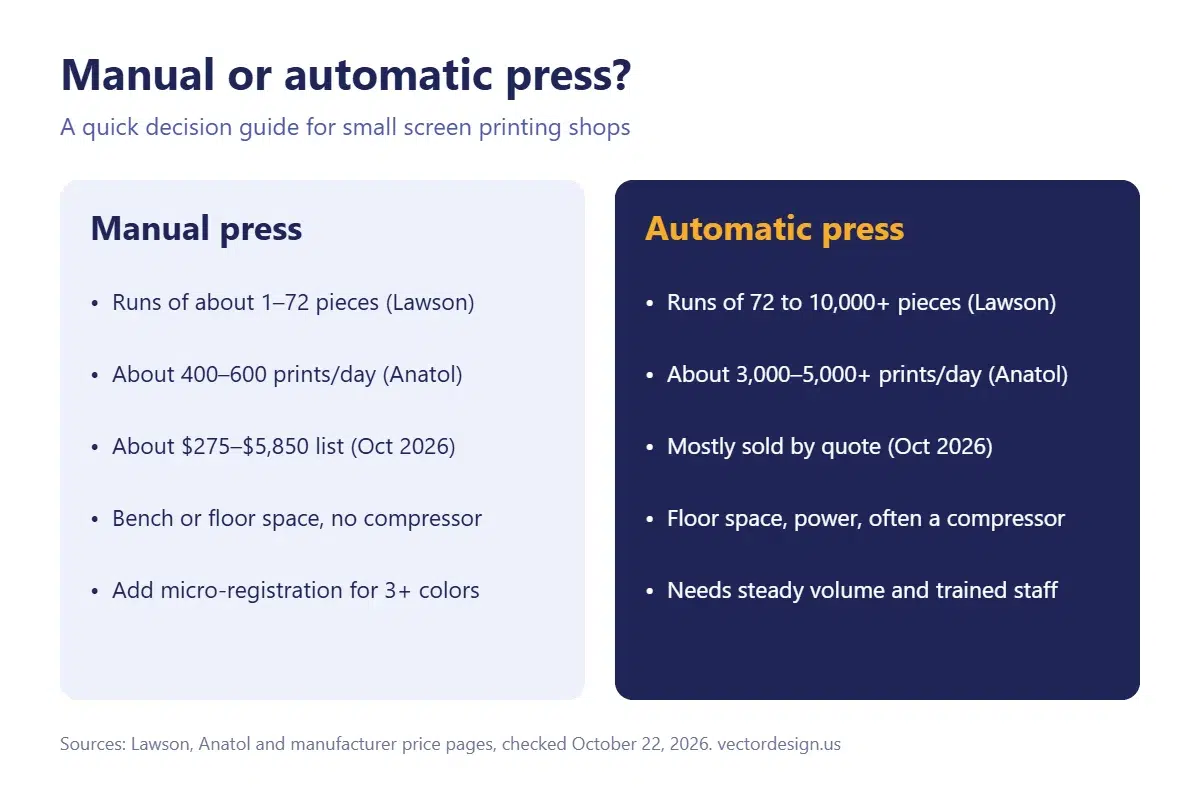
Choose a manual press if most of your jobs are under about six dozen pieces, and an automatic if you regularly run large orders and have the space, power and staff to run it. Lawson, which sells both, puts the manual range at 1–72 pieces and the automatic range at 72 to 10,000+ pieces.
| Factor | Manual press | Automatic press |
|---|---|---|
| Best run size (Lawson) | 1–72 pieces | 72 to 10,000+ pieces |
| Daily output (Anatol estimate) | About 400–600 prints per day | About 3,000–5,000+ prints per day |
| Price | About $275 to $5,850 for the listed models | Mostly quote-only; one dealer listing for the ROQ FIT shows $99,999 |
| Space and utilities | Bench or floor; no compressor | Dedicated floor space, electrical service, and an air compressor on most pneumatic models (all-electric models such as Anatol VOLT do not need one) |
| Who it suits | Startups, sample runs, school and club shirts | Contract printers with steady volume |
Output figures are manufacturer estimates, not guarantees. Your real speed depends on the number of colors, flashing between colors and how fast you can load shirts.
What should you check before buying a screen printing press?
Check five things: the number of colors you print, whether the press has micro-registration, the maximum screen size, the platen size, and the warranty. Then make sure your space and budget cover the rest of the setup.
- Colors and stations. Count the colors in your typical job, then add one for a white underbase on dark shirts. In our experience, a 4/4 press is a practical starting point for shops that print more than one color.
- Micro-registration. Fine X/Y (and on some presses Z) adjustments let you line up each screen to the others. Without it, multi-color work takes much longer to set up.
- Maximum screen and print area. The Riley Hopkins 150 takes frames up to 23 × 31 in; the Lawson HD-MAX takes screens up to 26 × 37 in. Large back prints need the bigger press.
- Platen size and type. Standard platens on the models above are 14 × 18 in (Lawson Scout), 14 × 21 in (Lawson HD-MAX) and 16 × 16 in (Riley Hopkins 150). Sleeve, youth and pocket platens are usually extra.
- Warranty and parts. Warranty terms vary widely: Lawson lists 1 year on parts for the Scout, and Vastex lists 2 years on the V-1000. Read the warranty page itself, because some listings give different terms in different places.
What other equipment does a screen printing setup need?
A working setup needs four more items besides the press: an exposure unit to burn screens, a flash dryer to gel ink between colors, a dryer to cure the finished print, and screens with the right mesh count.
| Item | What it does | Example and price (checked Oct 22, 2026) |
|---|---|---|
| Exposure unit | Hardens emulsion where light passes the film, creating the stencil | Baselayr VT2536 LED vertical unit, frames up to 25 × 36 in: $3,799.95 |
| Flash dryer | Gels the underbase or a color so the next color can print on top | Riley Hopkins 16 × 16 in flash dryer, 1,600 W / 120 V: $599.95 |
| Conveyor dryer | Brings the whole ink film to cure temperature | Vastex LittleRed X1, 18 in belt, about 110 plastisol pieces per hour: quote only |
| Screens and mesh | Control how much ink passes and how fine the detail can be | 156 mesh is the general plastisol standard; 156+ for fine lines and standard halftones; 230+ for high-detail work |
Under-curing is a common cause of failed prints. Avient’s Wilflex guide lists 320°F (160°C) as the standard cure temperature for standard plastisol inks, with low-cure inks lower. The whole ink film has to reach that temperature, not just the surface, so check with a temperature probe or test strips rather than trusting the dryer’s dial.
Press ready, but the artwork isn’t?
Send us the customer’s logo or design and we separate it into one clean film-ready layer per ink color, with registration marks and halftones sized for your mesh.
From $7 per design. We email a firm price once we have looked at the file.
How do you prepare artwork for your press?
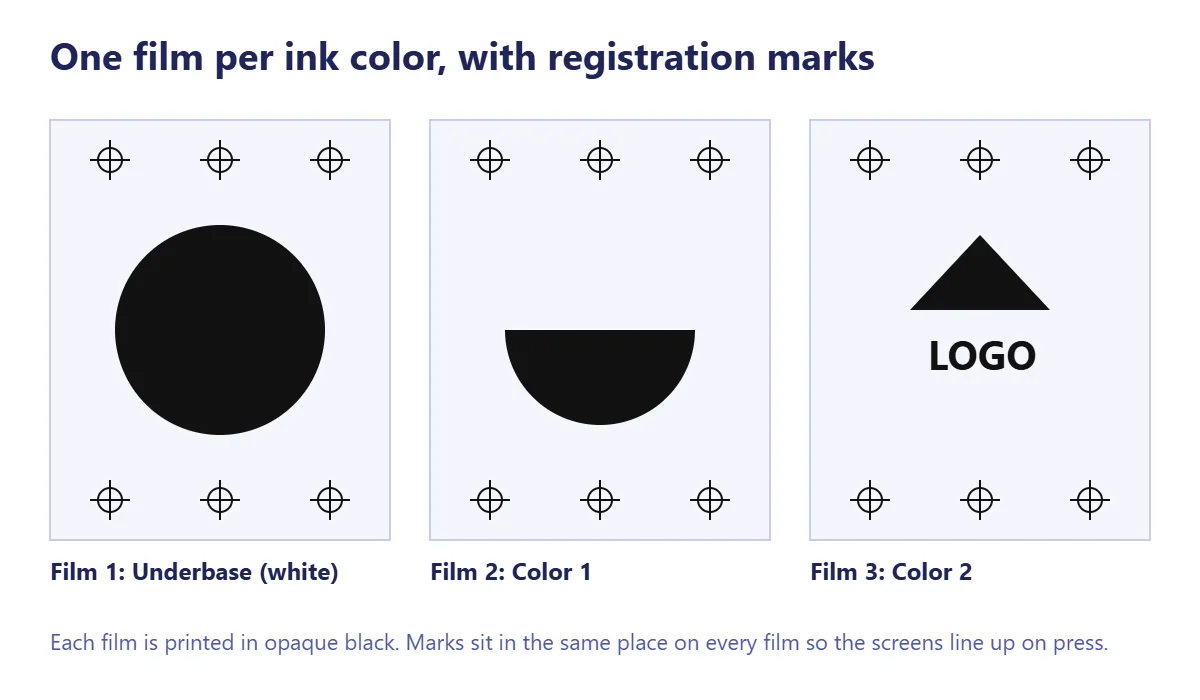
Prepare one separation per ink color, in black on film, with registration marks, sized to fit the platen and the screen’s print area. Do this before you burn screens, not after.
- Start from vector art. Clean vector shapes give sharp, separable edges at any print size. A low-resolution JPG usually needs to be redrawn first.
- Use spot colors. Name each ink as a spot color so the RIP or print dialog outputs one film per color. Check each separation on its own before printing.
- Add registration marks. ScreenPrinting.com suggests 3 marks across the top and 3 across the bottom on standard prints, and 1 at the top and 1 at the bottom on left-chest, sleeve and tag prints.
- Print opaque films. The film must block UV light where the image is, or fine detail will wash out during exposure.
- Match halftones to mesh. A common rule is mesh count = 4 to 5 × LPI, so a 160 mesh screen holds roughly 32–40 LPI. Use round dots at about 22.5° and avoid 0°, 45° and 90°.
What we see in production: the press-related problems in the art we receive are rarely about the press itself. The common ones are designs sized wider than the shop’s platen, separations with colors that touch but have no trap, and halftones too fine for the mesh the shop actually stocks. Asking the printer for platen size, mesh count and the number of heads before we separate avoids a second round of films.
We also ask whether the shop prints a white underbase on dark garments, because that changes how many screens the job needs and how we choke the white under the top colors.
Our guide to vector art for screen printing covers the art side in more depth, and the customer artwork checklist for print shops gives you a copy-paste email to collect usable files from customers. If you are unsure whether a customer file is real vector, use the checks in how to tell if a file is vector.
Which press should a small business start with?
Match the press to the work you sell, not to the biggest job you hope to win. These starting points cover most new shops:
| If you… | Start with | Why |
|---|---|---|
| Print one-color designs and want to test demand | A 1/1 tabletop press such as the Riley Hopkins 150 1/1 | Lowest cost; enough for single-color shirts and samples |
| Print 2–4 colors on light garments | A 4/1 or 4/4 manual press with micro-registration (for example Lawson Proton) | Registration controls are what make multi-color work practical |
| Print on dark garments every week | A 4/4 or larger manual press plus a flash dryer | A white underbase takes a head and a flash step |
| Run steady orders of several dozen pieces and up | A professional manual (6/4 and up) and a plan for an automatic | Lawson places automatics at 72 pieces and up |
Timing matters too. If you plan to print for spring school, sports and graduation orders in 2027, buying the press in winter gives you time to learn registration, exposure and curing on test shirts first.
Before any of these, budget for the exposure unit, flash and dryer. A kit such as the Riley Hopkins 150 equipment-only kit bundles a press, flash and LED exposure unit, but you still need a way to cure prints fully.
Frequently asked questions
How much does a screen printing machine cost?
On the manufacturer pages we checked on October 22, 2026, manual presses ran from $274.95 (1-color tabletop) to $5,850 (Lawson HD-MAX base listing). Most professional manual and automatic presses are quote-only, so ask the maker for a price on the exact configuration.
What is a good screen printing machine for beginners?
A 4-color, 1-station tabletop press is a common first press because it prints multi-color designs at low cost. If you plan to print 3 or more colors often, choose one with micro-registration, which saves setup time.
Should I buy a used screen printing press?
A used press can save money if it is a known brand and you can check it in person. Look for bent or loose arms, worn bearings, missing micro-registration parts and whether the maker still sells spare parts and platens for that model.
Can I run a screen printing press at home?
Tabletop presses fit a garage or spare room, but you also need a dark area for screen exposure, ventilation, water for screen cleanup and a way to cure ink fully. Check local rules if you plan to sell from home.
What file do I need to burn screens?
You need one film positive per ink color, printed in opaque black, with registration marks. These come from separated artwork, ideally vector, with each ink set as a spot color.
Get separations made for your press
Tell us your platen size, mesh count and ink colors, attach the customer’s file, and we reply with a firm price.
From $7 per design for screen printing art.
- Exact quote by email before any work starts
- Prepayment by PayPal, Visa or Mastercard
- 24-hour standard delivery, rush from 6 hours (extra charge may apply), bulk timing confirmed after file review
- 2 free revisions and a 100% money-back guarantee
Sources
- ScreenPrinting.com, Riley Hopkins 150 1-color press: screenprinting.com (checked October 22, 2026)
- ScreenPrinting.com, Riley Hopkins 150 4-color press: screenprinting.com (checked October 22, 2026)
- ScreenPrinting.com, Riley Hopkins 150 equipment-only kit: screenprinting.com (checked October 22, 2026)
- ScreenPrinting.com, Riley Hopkins press comparison: screenprinting.com (checked October 22, 2026)
- Lawson, Scout manual press: lawsonsp.com (checked October 22, 2026)
- Lawson, Workhorse Odyssey II: lawsonsp.com (checked October 22, 2026)
- Lawson, Proton manual press: lawsonsp.com (checked October 22, 2026)
- Lawson, HD-MAX manual press: lawsonsp.com (checked October 22, 2026)
- Lawson, The great debate: manual vs automatic screen printing: lawsonsp.com (checked October 22, 2026)
- Vastex, V-1000 press: vastex.com (checked October 22, 2026)
- Vastex, LittleRed X1 conveyor dryer: vastex.com (checked October 22, 2026)
- M&R, Chameleon: mrprint.com (checked October 22, 2026)
- Anatol, manual presses (Thunder): anatol.com (checked October 22, 2026)
- Anatol, automatic presses (VOLT): anatol.com (checked October 22, 2026)
- Anatol, Is it time to upgrade from your manual press?: anatol.com (checked October 22, 2026)
- ScreenPrinting.com, ROQ FIT automatic press: screenprinting.com (checked October 22, 2026)
- ScreenPrinting.com, Baselayr VT2536 LED exposure unit: screenprinting.com (checked October 22, 2026)
- ScreenPrinting.com, Riley Hopkins 16 × 16 flash dryer: screenprinting.com (checked October 22, 2026)
- Avient, Wilflex product selection guide (320°F standard cure): avient.com (checked October 22, 2026)
- ScreenPrinting.com, Which mesh count is right for me?: screenprinting.com (checked October 22, 2026)
- ScreenPrinting.com, Simple separations in Illustrator (registration marks): screenprinting.com (checked October 22, 2026)
- ScreenPrinting.com Help, Mesh count for halftones: help.screenprinting.com (checked October 22, 2026)
- ScreenPrinting.com, A crash course in halftones: screenprinting.com (checked October 22, 2026)
Updated October 22, 2026. Drafted with AI assistance and checked by our team against the sources listed above. Prices change; confirm with the seller before you buy. We are not affiliated with any press maker listed.